3D-Printed Vintage Radio Brings Back Simpler Times

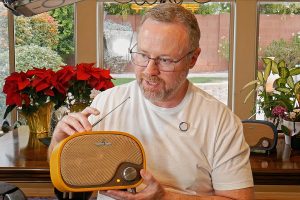
Zion Brock had one goal in mind: to do something special for his father, who lives in a memory care home. With their flashing screens and countless options, modern electronics may be distracting. He wanted to create a music player that felt like a step back in time to the days of radios, one that you could just pick up and play music from without requiring an internet connection or any technical setup.
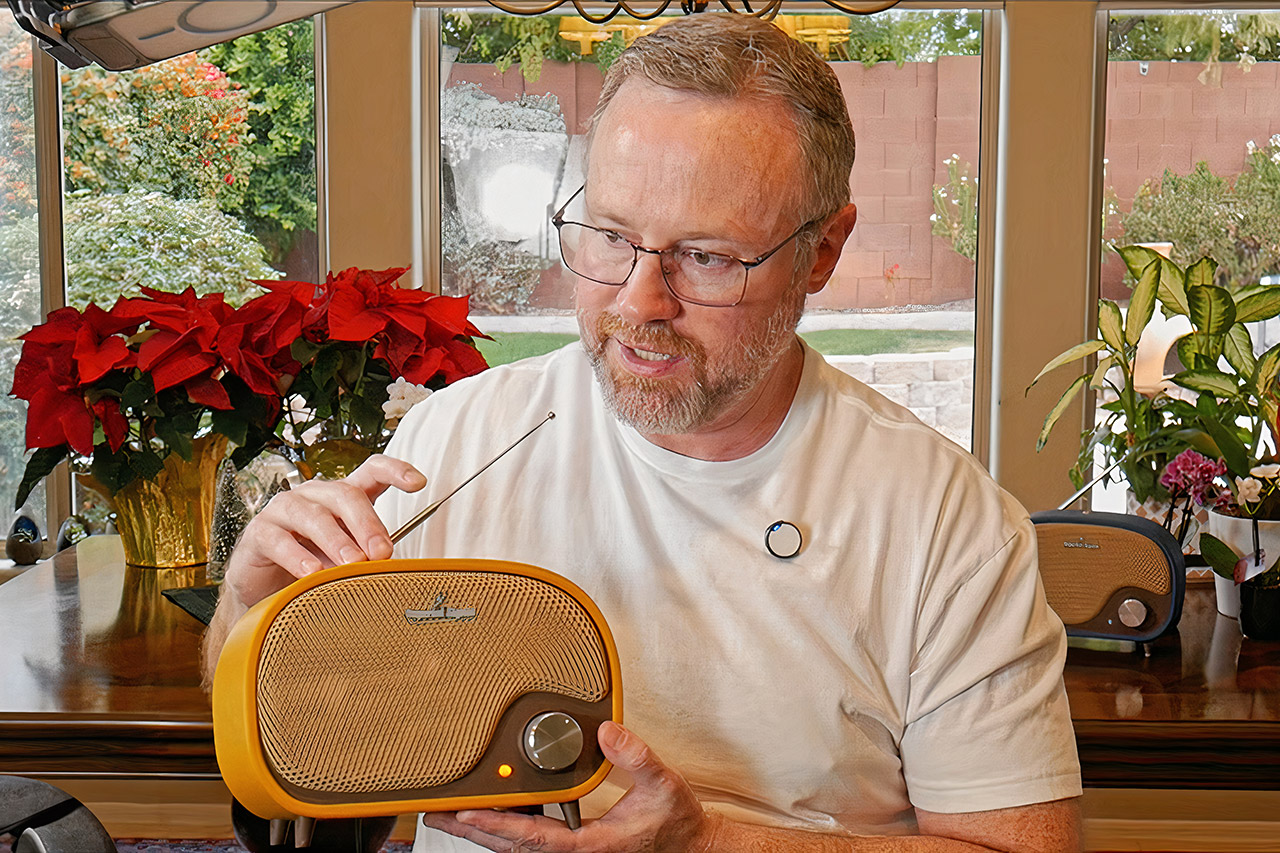
He created an offline music player with a casing that resembles ancient post-war American radios. The curving edges and large front knob give it a very realistic appearance. A little button sits on top, along with a decorative antenna that serves no use other than to look nice.

FLASHFORGE AD5M Pro 3D Printer 600mm/s High Speed & Precision, Full-Auto Calibration with 0.4&0.6mm…
- Versatile 3D Printer & Quiet Printing: AD5M Pro is a versatile tool that can be used for parent-child bonding activities, household repairs, and…
- Advanced Auto-Leveling System: The AD5M Series is equipped with an automatic leveling system that can be activated with just one click. It utilizes…
- Secure Printing Assured: Your health is our concern. The AD5M Pro features a closed structure and dual filtration system to optimize air quality…
The first step is to print the enclosure, which will serve as the basis for the entire structure. Brock has graciously shared the files to MakerWorld for free, along with a few variations. One version will store your bespoke electronics, while others are meant to operate with smart speakers such as earlier Echo Dots or Google Nests if you wish to use existing components. Each back panel contains a printed QR code that leads to detailed assembly instructions.
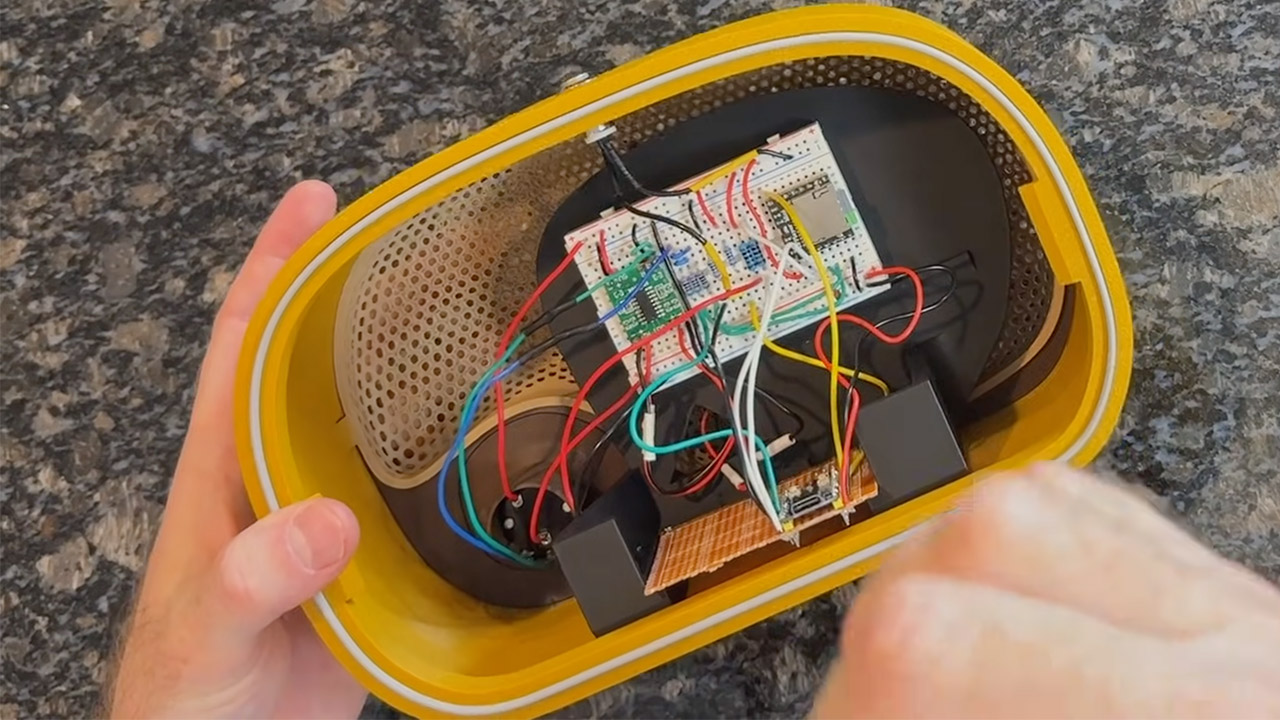
Inside the player, a little Raspberry Pi Pico microcontroller (really a low-cost RP2040-Zero board) does all the thinking. It connects to a DFPlayer Mini module, which can read MP3 files from microSD cards. You can put thousands of songs on a 32GB card and organize them into folders that serve as albums or playlists.
A potentiometer behind the large front knob regulates volume and power, while the button on top just cycles between music, with one push skipping forward, two returning to a track, three restarting the current playlist, and holding the button down skipping the entire folder.
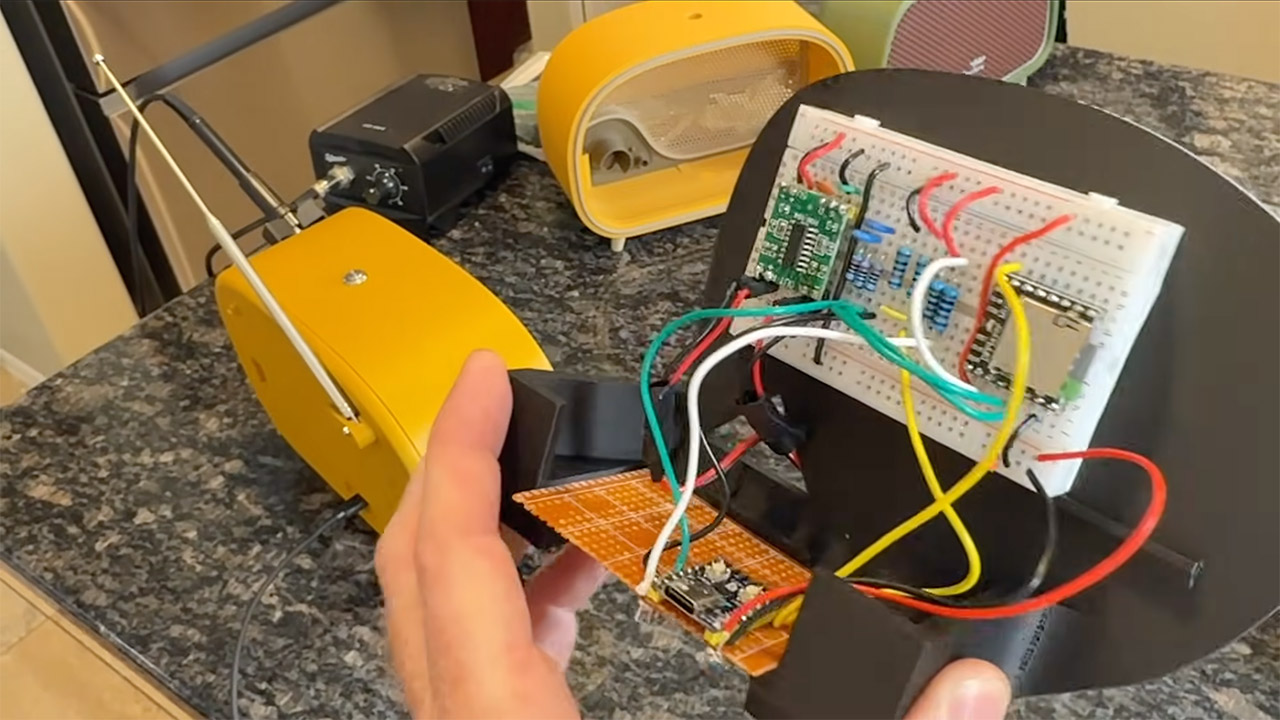
For sound, the DFPlayer connects to an amp board, and then to the speaker. Brock chose to route the sound in stereo straight into mono output to achieve the warm fuzzy sensation of vintage radios. It runs on a simple USB-C cable, so you can plug it in anyplace. When the gadget starts up, a little LED light illuminates, and when you move the volume knob, it plays a short clip of static and frequency scanning, as if you were tuning into a station. The sound fades seamlessly into the first track, adding to the nostalgic vibe.
To get the entire circuit running, Brock created a breadboard prototype to test the connections and coding. He created the program to manage playing and button presses, which required a lot of trial and error to get right. When he was satisfied with the way it worked, he soldered everything to a tiny board to make it permanent.

Putting everything together is as simple as sticking the speaker in the back of the case, inserting the boards, and connecting the knob, button, and power connections. The front grill even features a whimsical design of uneven holes that are designed to resemble worn fabric, and a clip-in badge allows you to put your own label.
[Source]
3D-Printed Vintage Radio Brings Back Simpler Times
#3DPrinted #Vintage #Radio #Brings #Simpler #Times